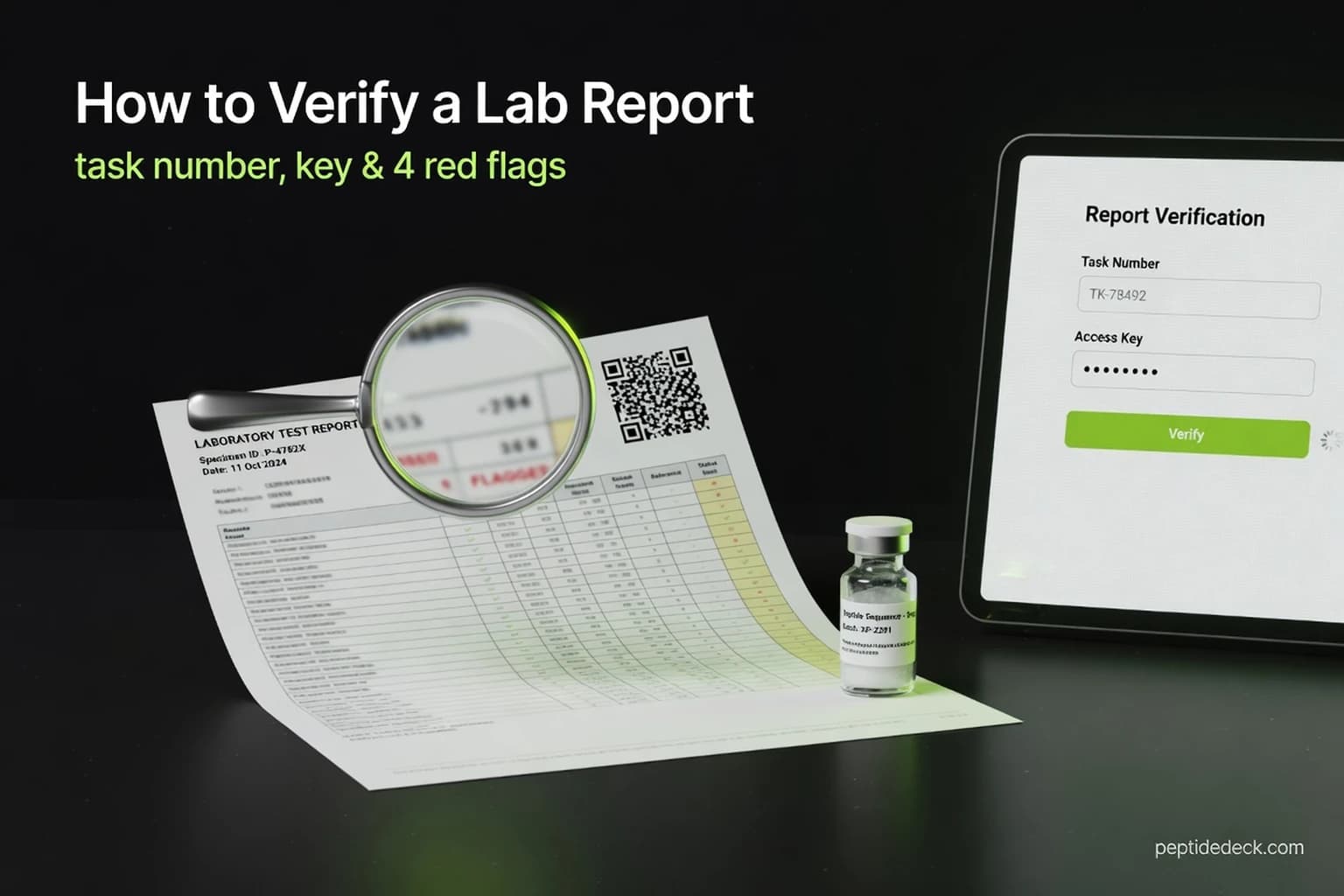
A screenshot of a lab report proves nothing. Anyone can paste numbers into an image, and in 2026 several sites even copy the lab's own website. The Janoshik verify page is how you tell a real report from a dressed-up one, and it takes about a minute once you know where to look.
🔑 Key Takeaways
- The verify page needs two codes, and the most-cited guides only mention one
- A QR code can send you to a copycat site that "verifies" anything
- A report can pass verification and still not cover the vial you bought
- Four red flags catch nearly every misleading COA
- The cheapest certainty is testing one vial yourself
You already know why this matters. You're about to inject something bought online, and the lab report is the only evidence of what's inside. Here's how to check a Janoshik report properly, what each number means, and where verification stops protecting you.
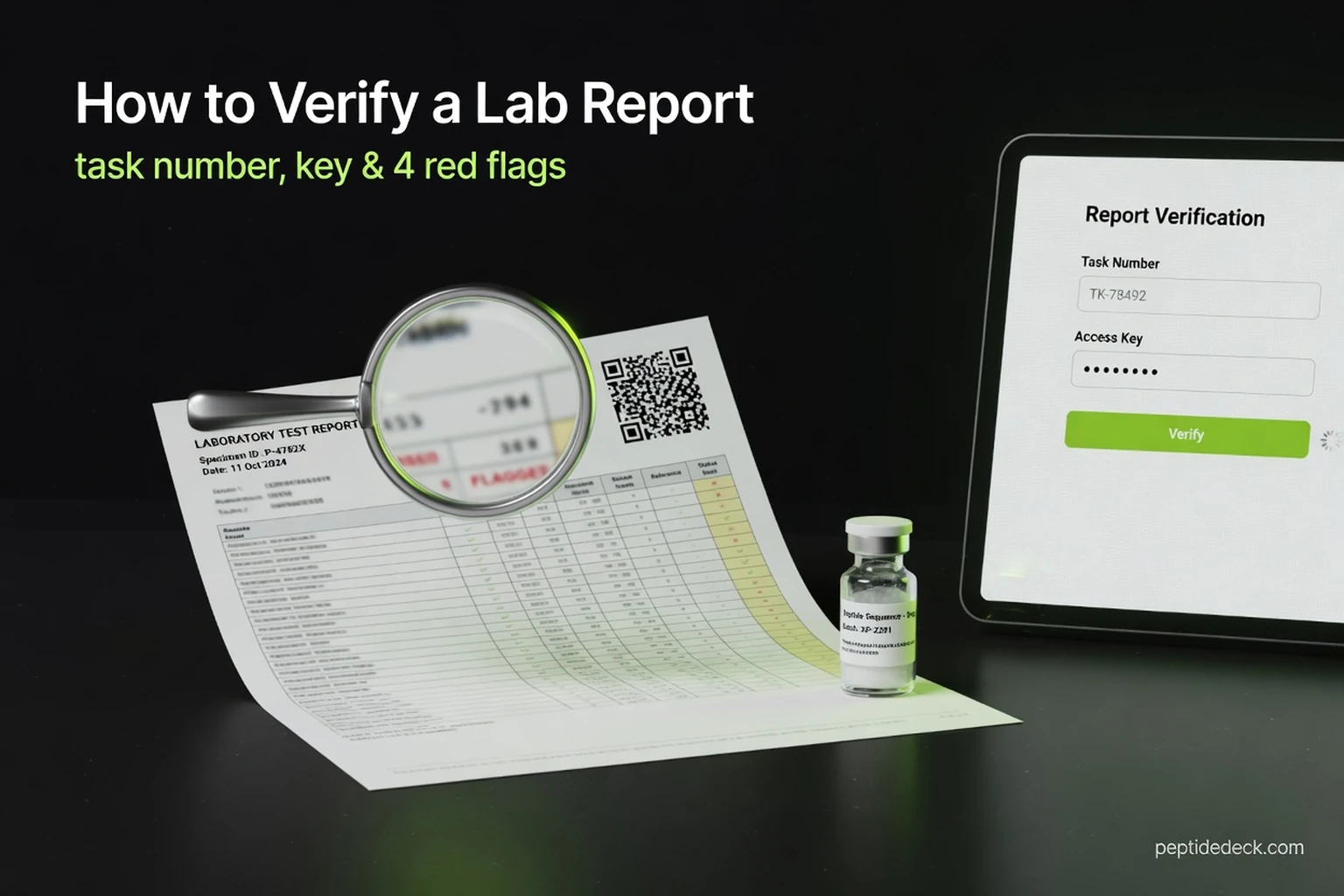
How to Verify a Janoshik Report in 4 Steps
It takes two codes and one website. Janoshik's verification form is at janoshik.com/verification/, labelled "Verify" in the site menu.
- Find the task number. It's at the top of the report, after "Task Number #", usually six digits.
- Find the unique key. It's in the footer, after "Verify this test at www.janoshik.com/verify/ with the following unique key". It's 12 capital letters and digits, such as D91JA9KJPQPB.
- Type both into janoshik.com/verification/, in the "Task number" and "Unique key" boxes, and press Verify. Type the address yourself rather than following a link from the seller, and use capital letters for the key.
- Open the stored report and compare it. Press "Open report" and check every field against the copy you were sent: dates, client, sample, batch, test and every number.
What the two answers look like. A genuine pair shows a green message: "This test is in our database. You can open the report and check if the data match your report." A wrong pair shows a red one: "No test found for the given task number and unique key." Janoshik's rule is that a report counts as legitimate only if it matches the version stored in its system.
One quirk to know about. The footer of every report says "Verify this test at www.janoshik.com/verify/", but on 30 October 2026 that address redirected to a broken page that Cloudflare blocked. Use janoshik.com/verification/ or the QR code instead; both worked.
Verifying a Janoshik Report With the QR Code
The QR code is the fast route, and it can be the riskiest. A genuine Janoshik QR opens a page on verify.janoshik.com, in the pattern verify.janoshik.com/tests/task_KEY, and shows the stored report image.
- Check the address before you trust the page. If the QR opens any other domain, the result means nothing, however official it looks.
- A failed lookup is blank. A wrong task or key on verify.janoshik.com lands on an empty page with only the "Janoshik Analytical / Home / Public" menu. There's no error message.
- Photos are a bonus. If the customer paid for photos, the verify page also shows the vial, watermarked "JANOSHIK". Compare the cap colour and label with your vial.
What Is Janoshik? The Lab Behind Most Peptide COAs
Janoshik is a Czech testing lab that most peptide shoppers meet through vendor COAs. The company is Janoshik s.r.o., registered in Prague, and its website dates from 2016. It tests peptides, steroids, SARMs and other compounds for anyone who mails in a sample.
- Method: a standard peptide test is HPLC, reported as mg per vial and purity. Mass-spectrometry identification is a paid add-on, not part of the default report.
- Independence: Janoshik says it sells no products and doesn't recommend vendors.
- Accreditation: we found no ISO/IEC 17025 accreditation claim on its website.
What a Genuine Janoshik Report Looks Like
Every report follows the same layout. "TEST REPORT" in green at the top left, the Janoshik logo in the middle, and the lab's contact details, info@janoshik.com and www.janoshik.com, at the top right. A vendor's logo sometimes appears as a large watermark behind the text, which is normal.
The detail most people miss: the customer fills in the header. Janoshik's help pages say the client name, sample name, manufacturer and batch number are entered by whoever orders the test, and support can still change them for up to 14 days after the report is issued.
Reading the Numbers: mg, Purity and Endotoxin
A verified report is only useful if you can read it. Janoshik prints results without a pass or fail, so the judgment is yours.
Worked example: a 10 mg vial measuring 9.6 mg holds 96% of its label. If you dose from the label, every injection is 4% lighter than you think, which matters more with a narrow-dose peptide than with a forgiving one. For how purity, mass spec and net content fit together, see our guide on how to read a peptide COA.
Why a Report That Verifies Can Still Mislead You
Verification proves the test happened. It doesn't prove whose vial was tested.
Janoshik sells "Additional Reports": copies of a main report with different header details, such as another client, manufacturer or batch, for $50 each. Each copy gets its own task number and key, and each one passes verification. It's a legitimate service, but it means one vial's result can appear under several company names.
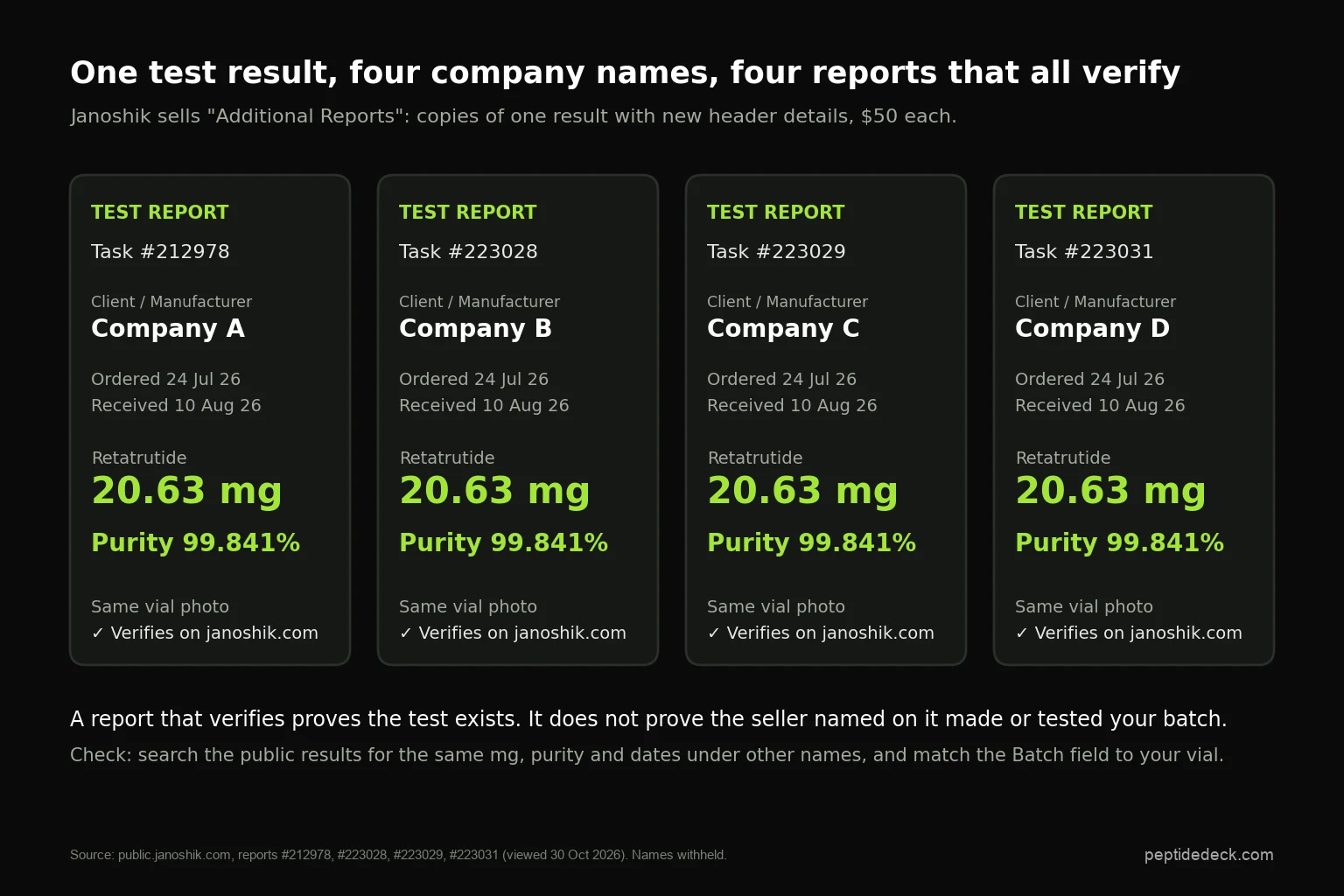
We found two sets of these in late October 2026. Four retatrutide reports under four company names share the same dates, the same vial photo and the same result, 20.63 mg at 99.841%. Three tirzepatide reports under three other names repeat 21.95 mg at 99.453%. None of that is fake. It just means "the report names my seller" isn't the same as "my seller's stock was tested".
Lookalike Janoshik Sites to Know About
Four domains that look like Janoshik's were registered between May and September 2026. All four copy the real site's look. We describe what we saw; we haven't found any statement about them from Janoshik.
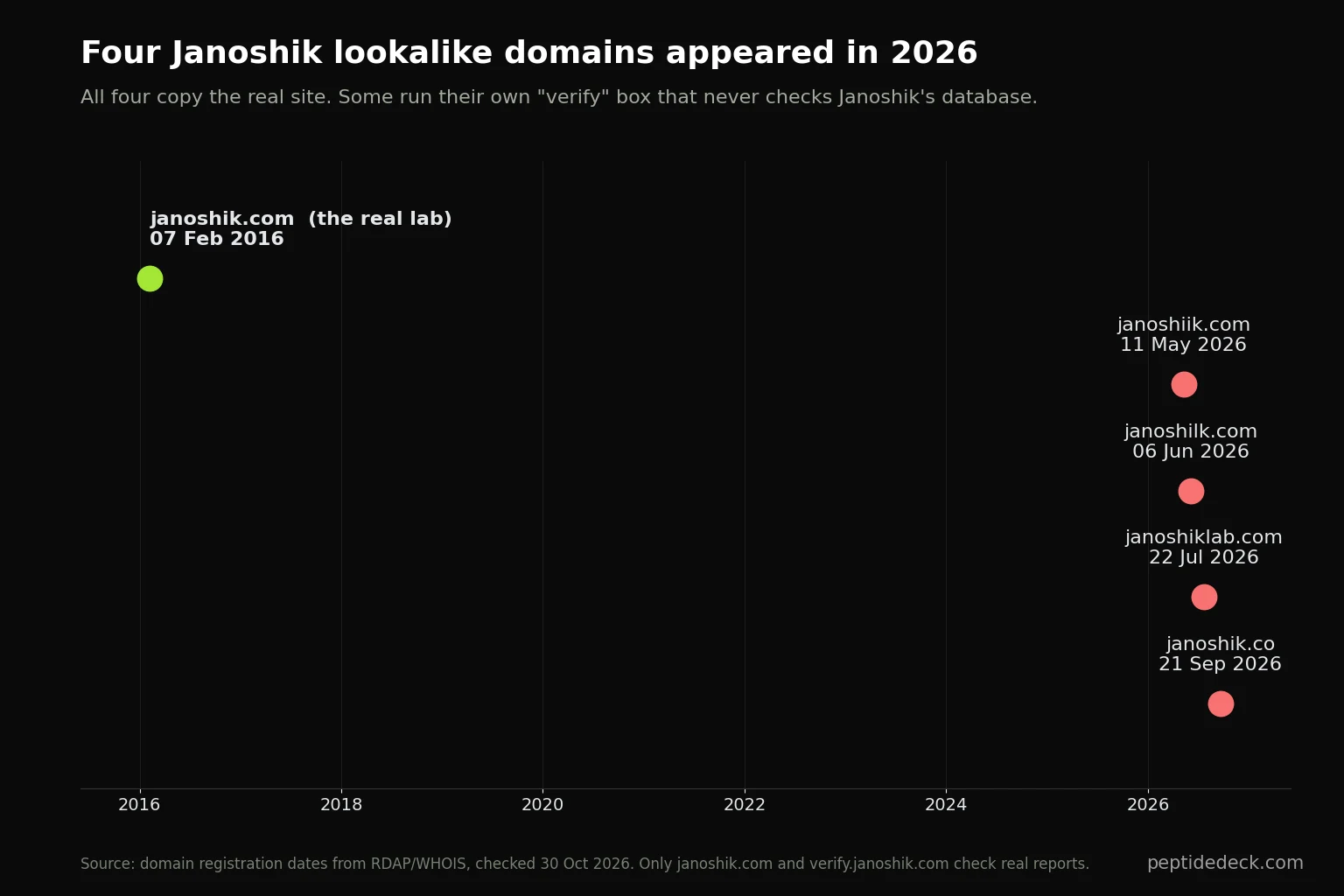
The rule that covers all of them: only a result shown on janoshik.com or verify.janoshik.com counts. Janoshik's own pages use only janoshik.com, verify.janoshik.com, public.janoshik.com and help.janoshik.com.
4 Red Flags on a Janoshik COA
- The key or QR code is missing, cropped or blurred. Without the key a report can't be verified, so there's no reason to hide it. Ask for the full report.
- The QR or "verify" link goes anywhere but verify.janoshik.com. A copycat domain can show a green tick for anything.
- The batch doesn't match your vial. A blank batch, a vague one like "2026", or a different lot number means the report doesn't describe what you're holding.
- The numbers don't fit the product. The same mg, purity and dates appear under other company names; a blend such as KLOW or GLOW shows a purity figure, which Janoshik doesn't report for blends; or the "Tests requested" field says sterility or endotoxin while the vendor presents it as a purity result.
Is Janoshik's Public Results Page Proof?
It's an advertising board, not a registry. Janoshik's public results page, public.janoshik.com, lists reports whose owners paid to show them: $85 for two months, or $120 a week to be pinned at the top. It held 349 entries on 30 October 2026.
- A report missing from the list isn't a sign of a fake. Most genuine reports are never listed.
- A listed report shows only results the client chose to publish. Failed tests rarely get paid placement.
- The list is useful for one thing: searching for the same numbers under other names, as in the section above.
When to Test Your Own Vial
For full certainty, send your own vial. That removes every problem above, because you pick the vial and you hold the key. It's worth it for an expensive peptide, a new vendor, or a vial that looks or behaves wrong.
The cheaper route is buying from shops whose reports pass these checks, which is how we built our shortlist of legit peptide vendors. For an example of a store with Janoshik reports you can verify yourself, see our NextGenPeps review. Once a vial passes, our reconstitution guide and peptide calculator turn the measured mg into an accurate dose.
Janoshik Verify FAQ
Sources
- Janoshik: verification page, how reports can be verified, report header details, additional services (additional reports), public and premium listings, turnaround, BPC-157 analysis price list, all read 30 October 2026.
- Janoshik public results, reports #212978, #223028, #223029, #223031, #216116, #216117 and #216125, viewed 30 October 2026.
- Czech business register (ARES): Janoshik s.r.o., company no. 17668727.
- Domain registration dates from RDAP and WHOIS lookups, 30 October 2026.
Disclaimer: This guide explains how to check laboratory reports and is not medical advice. A verified report describes one tested sample, not every vial sold. PeptideDeck is not affiliated with Janoshik Analytical. We may earn a commission from some links on this site. Talk to a qualified healthcare professional before using any peptide.